Understanding HTML Tags and Elements (Beginner-Friendly Guide)
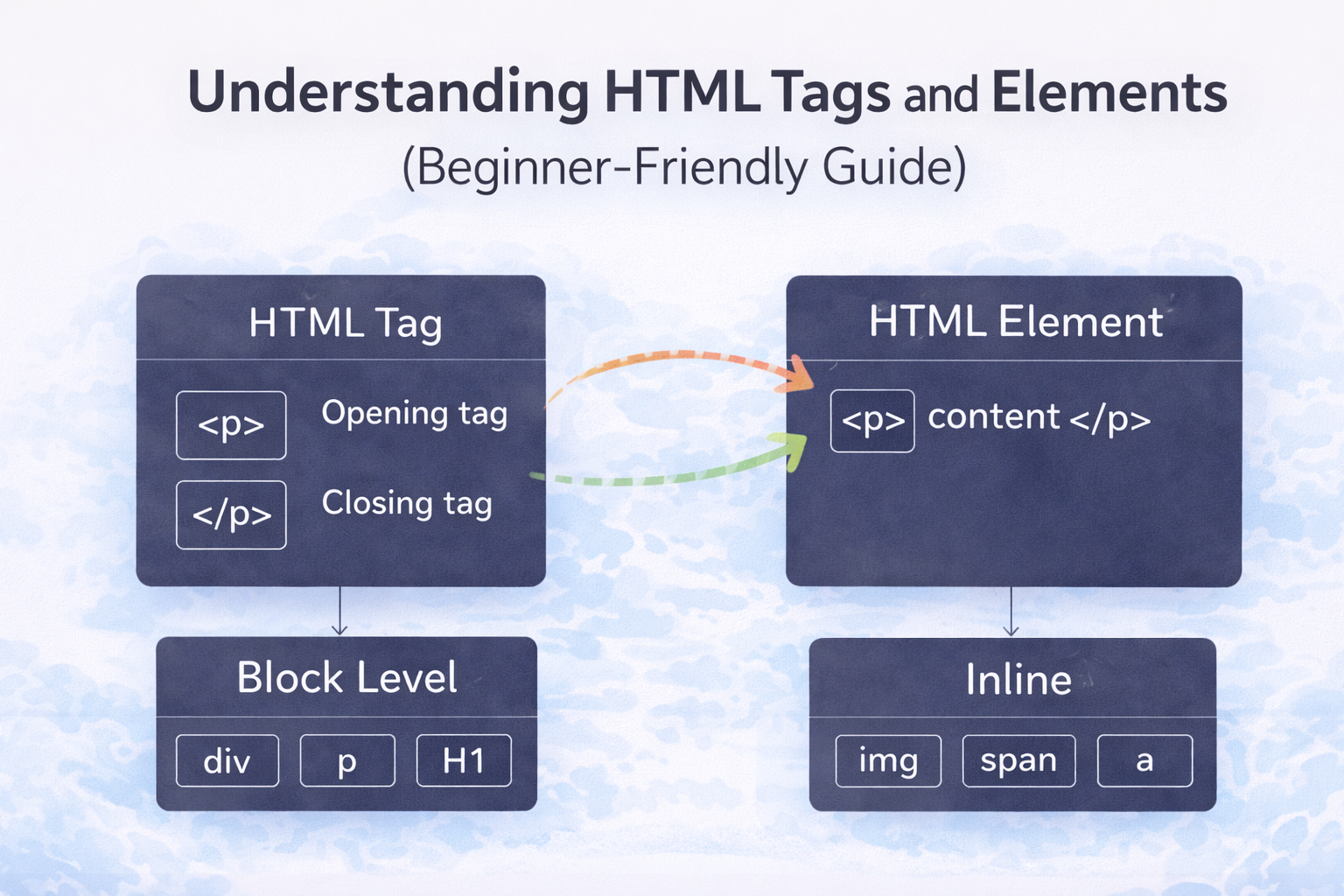
We all know that HTML is the skeleton of a web page. It provides structure to the webpage. Let’s understand HTML from zero, without fear.
What Is HTML and Why Do We Use It?
HTML stands for HyperText Markup Language. HTML is used to create headings, write paragraphs, add images, create links, Structure a webpage
HTML does not add colors or animations it only defines what exists on the page.
HTML as the Skeleton of a Webpage
Think of a webpage like a house:
HTML = structure (walls, rooms)
CSS = styling (paint, design)
JavaScript = behavior (doors, switches)
In this blog, we focus only on HTML basics.
What Is an HTML Tag?
An HTML tag tells the browser what type of content something is.
Example:
<p>Hello</p>
Here, <p> = paragraph tag and Hello = content
Opening Tag, Closing Tag, and Content
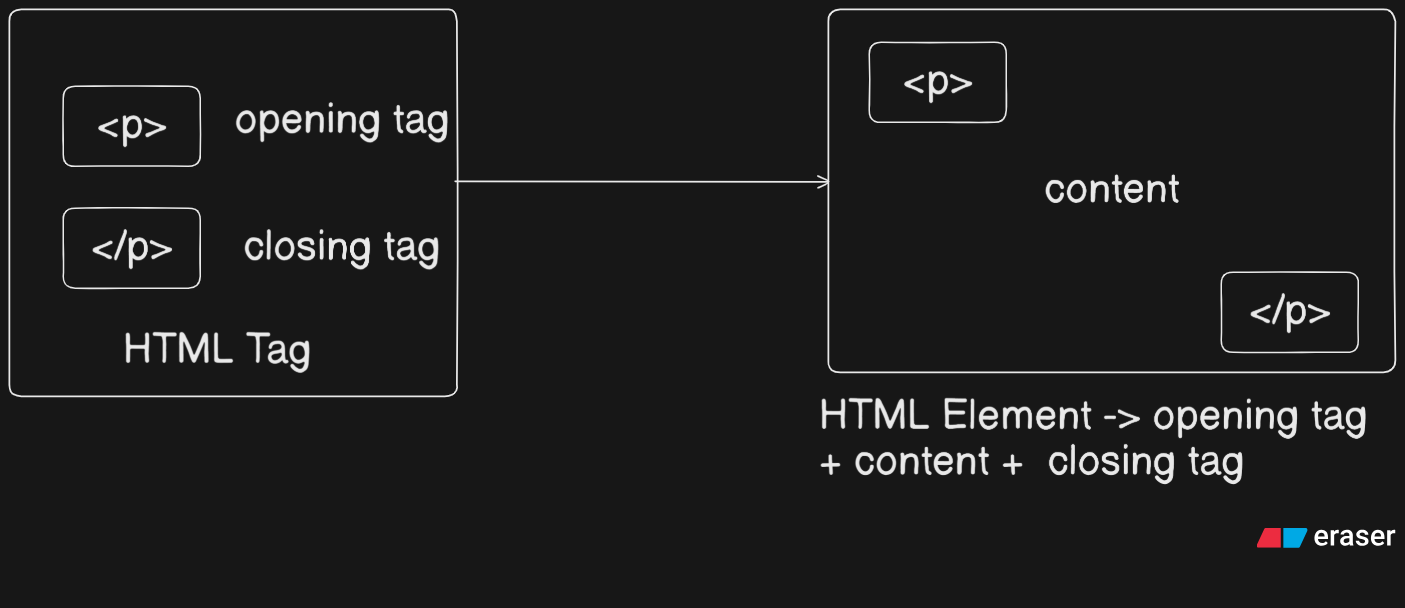
Let’s break this down using the diagram.
Example
<p>This is a paragraph</p>
<p>→ opening tag</p>→ closing tagThis is a paragraph→ content
Tags usually come in pairs.
What Is an HTML Element?
An HTML element is the complete box.
It includes, Opening tag + content + closing tag
Example:
<p>Hello World</p>
This entire thing is one HTML element whereas <p> alone is just a tag.
Tag vs Element
Tags are just commands like <p> or </p> whereas an element is opening tag + content + closing tag. Tags build elements. This confusion is very common for beginners and totally normal.
Self-Closing (Void) Elements
Some elements don’t have content, so they don’t need a closing tag.
Examples:
<img src="photo.jpg">
<br>
<hr>
<input>
These are called:
Self-closing elements
Void elements
They still count as HTML elements, even without closing tags.
Block-Level vs Inline Elements
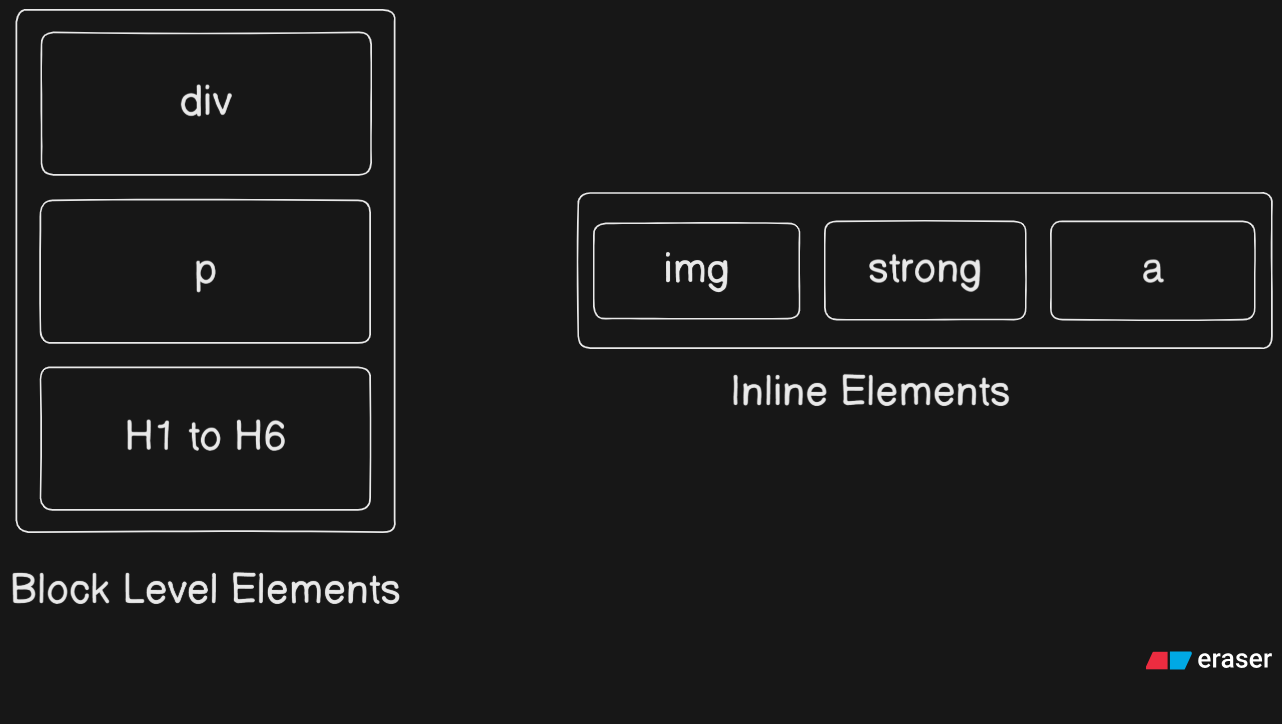
This diagram shows two important categories.
Block-Level Elements
Block elements take full width and start on a new line.
Examples:
<div></div>
<p></p>
<h1></h1>
Common block elements are as below:
divph1toh6
Inline Elements
Inline elements take only required width and stay in the same line
Examples:
<span></span>
<a></a>
<strong></strong>
<img>
Inline elements usually live inside block elements.
Commonly Used HTML Tags (Beginner Set)
Here are the most useful ones to start with:
h1-h6→ headingsp→ paragraphdiv→ containerspan→ inline texta→ linkimg→ imageul,li→ lists
That’s honestly more than enough for now.
Inspect HTML in the Browser
This is one more important thing to learn and keep in mind that, when you Right-click any webpage and go to Inspect.
You’ll see real HTML, real tags and real elements. This is one of the best ways to learn HTML.
Summary
HTML gives structure.
Tags are just instructions or commands.
Elements are complete units (tags along with contents).
Some elements self-close.
Block elements start new lines.
Inline elements stay in the same line.
You don’t need to memorize everything. Understanding comes with practice.


