Function Declaration vs Function Expression in JavaScript (Beginner Guide)

Functions are one of the most important concepts in JavaScript. They allow us to write code once and reuse it multiple times.
In this article, we will understand:
What functions are
Function declarations
Function expressions
The key differences between them
A simple idea of hoisting
Let’s start from the basics.
What Are Functions and Why Do We Need Them?
A function is simply a reusable block of code that performs a task.
Instead of writing the same code again and again, we can place it inside a function and call it whenever needed.
Example without a function:
let result1 = 5 + 3;
let result2 = 10 + 2;
With a function:
function add(a, b) {
  return a + b;
}

console.log(add(5, 3));
console.log(add(10, 2));
Now the same logic can be reused easily.
Function Declaration
A function declaration defines a function using the function keyword and a name.
Example:
function greet() {
  console.log("Hello");
}
Calling the function:
greet();
Output:
Hello
In a declaration, the function is defined independently.
Function Expression
A function expression is when a function is assigned to a variable.
Example:
let greet = function () {
  console.log("Hello");
};
Calling the function:
greet();
Output:
Hello
Here the function is stored inside the variable greet.
Side-by-Side Comparison
This below diagram shows a comparison.
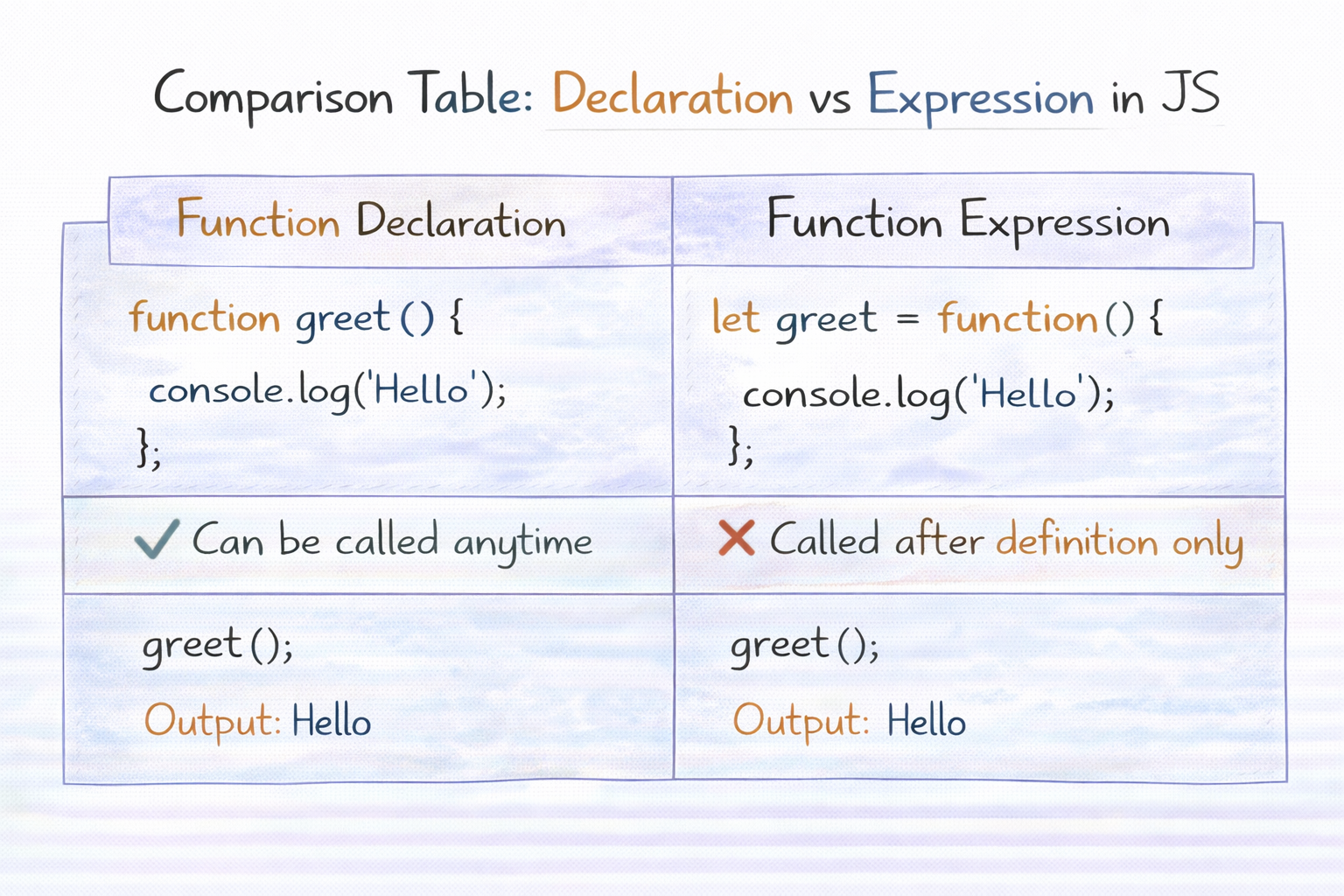
Function Declaration
function greet() {
  console.log("Hello");
}
Function Expression
let greet = function () {
  console.log("Hello");
};
Both work the same when called.
Basic Idea of Hoisting
One major difference between the two is hoisting.
Hoisting means JavaScript moves certain declarations to the top before execution.
Function Declaration Example
This works:
greet();

function greet() {
  console.log("Hello");
}
Even though the function is written after the call, it still works.
Function Expression Example
This will cause an error:
greet();

let greet = function () {
  console.log("Hello");
};
Why?
Because the variable greet is not ready yet.
So function expressions cannot be used before they are defined.
Simple Execution Flow of a Function
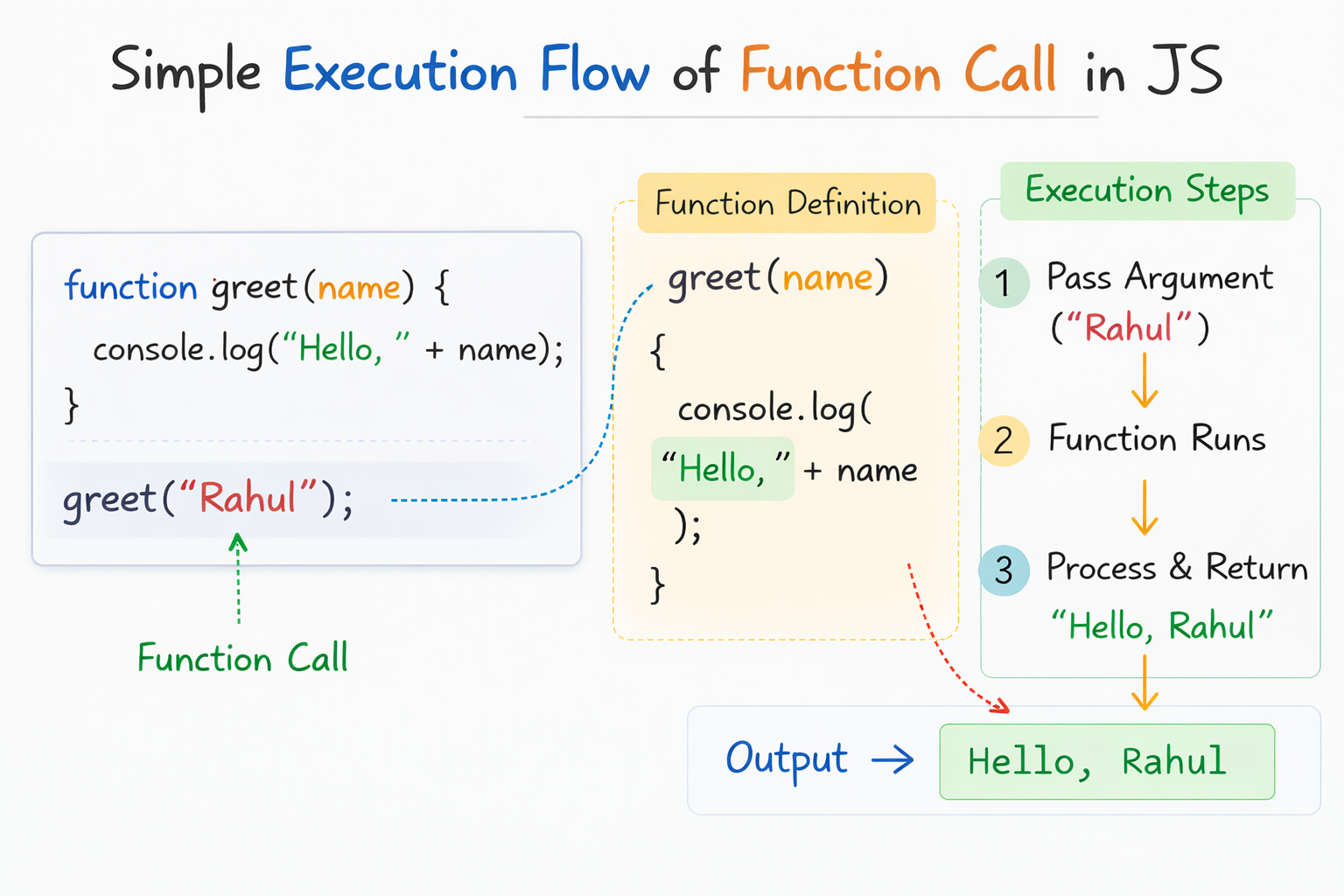
The above diagram shows how a function runs step by step in an execution flow.
Example:
function greet(name) {
  console.log("Hello, " + name);
}

greet("Rahul");
Execution steps:
Program calls the function
Argument
"Rahul"is passed to the parameternameFunction runs the code
Output is printed
Result:
Hello, Rahul
When Should You Use Each one of these?
Use Function Declaration When
You want simple reusable functions
You may call the function before defining it
Writing traditional JavaScript code
Use Function Expression When
Assigning functions to variables
Using functions inside other functions
Working with callbacks or event handlers
In modern JavaScript, function expressions are very common.
Practice Assignment
Try this in your JavaScript console.
1. Function Declaration
function multiply(a, b) {
  return a * b;
}

console.log(multiply(4, 5));
2. Function Expression
let multiply = function (a, b) {
  return a * b;
};

console.log(multiply(4, 5));
3. Experiment With Hoisting
Try calling both functions before their definition and see what happens.
This will help you understand the difference clearly.
Final Thoughts
Both function declarations and function expressions are used to create functions in JavaScript.
The main difference is how they behave with hoisting and how they are defined.
Understanding this concept will help you write cleaner and more predictable JavaScript code.


